
The landscape of front-end development is shifting faster than ever. By 2025, the days of merely knowing how to center a div or manage basic state in React are long gone. Today, recruiters in top product-based companies and high-growth startups are looking for engineers who understand the “full stack” of the front end—from Server Components and Core Web Vitals to AI-driven optimization.
Whether you are aiming for a role at a massive tech park in Bangalore or a remote position with a global unicorn, the bar has been raised. Interviewers now test for architectural depth, performance intuition, and the ability to write clean, scalable code. This guide covers the essential questions you need to master to stay ahead of the curve, categorized by technology. We will also explore how JobUAI can become your secret weapon in simulating these high-pressure scenarios before the actual day.
1. HTML & Modern CSS: Beyond the Basics
While often overlooked, HTML and CSS are the bedrock of the web. In 2025, questions here focus heavily on accessibility (a11y), performance, and modern layout engines.
Q1: Explain the concept of Critical CSS and how it impacts Core Web Vitals.
- Critical CSS is a technique that extracts the CSS required for above-the-fold content to render the page as quickly as possible.
- By inlining these critical styles in the
<head>and deferring the rest, we significantly reduce First Contentful Paint (FCP). - This directly improves the Largest Contentful Paint (LCP) score, a key metric in Google’s Core Web Vitals.
- It prevents “flash of unstyled content” (FOUC) and ensures the user sees a styled page almost immediately, improving perceived performance.
Q2: How does the CSS Grid minmax() function work, and when would you use it over Flexbox?
minmax(min, max)defines a size range for a grid track, ensuring it is at leastminsize but no larger thanmax.- It is incredibly powerful for responsive designs without media queries; for example,
grid-template-columns: repeat(auto-fit, minmax(250px, 1fr))creates a dynamic layout. - Use Grid when you need two-dimensional control (both rows and columns) or precise placement of items.
- Use Flexbox for one-dimensional layouts (a row or a column) where content size should dictate the layout flow.
2. JavaScript Deep Dive: The Engine Room
JavaScript interviews in 2025 demand a deep understanding of the event loop, asynchronous patterns, and the “why” behind the code.
Q3: Describe the Event Loop phases and how Microtasks differ from Macrotasks.
- The Event Loop monitors the Call Stack and the Callback Queue; if the stack is empty, it pushes the first event from the queue to the stack.
- Microtasks (like
Promise.then,MutationObserver) have higher priority and are executed immediately after the current script finishes, before rendering. - Macrotasks (like
setTimeout,setInterval, I/O) are executed in the next loop iteration, one at a time. - Starvation can occur if the Microtask queue is flooded, preventing the Event Loop from moving on to Macrotasks or UI rendering.
Q4: How do you handle memory leaks in a Single Page Application (SPA)?
- Unsubscribing: Always clean up event listeners and
setIntervaltimers in the cleanup function ofuseEffect(React) orngOnDestroy(Angular). - Detached DOM elements: Avoid keeping references to removed DOM nodes in global variables or closures, which prevents Garbage Collection.
- Closure awareness: Be cautious with closures that inadvertently hold onto large objects or scopes longer than necessary.
- Tools: Use the Chrome DevTools Memory Tab to take heap snapshots and identify objects that are not being garbage collected.
3. React & Next.js: The 2025 Standard
With the release of React 19 and the dominance of Next.js, interviewers now focus on Server Components, suspense, and compilation.
Q5: What are React Server Components (RSC), and how do they differ from Server-Side Rendering (SSR)?
- RSCs allow components to run exclusively on the server, meaning their code is never sent to the client bundle, reducing download size.
- SSR renders the HTML on the server but still sends the JavaScript bundle to the client for “hydration” (making it interactive).
- RSCs can directly access the database or file system without an API layer, whereas SSR components still require API calls if data fetching happens on the client.
- In 2025 architectures, we often mix both: RSCs for data-heavy non-interactive parts, and Client Components for interactivity (buttons, forms).
Q6: Explain the “use client” and “use server” directives.
"use client": Marks a component and its children as Client Components, allowing them to use React hooks (useState,useEffect) and event listeners."use server": Marks server-side functions that can be called from the client (Server Actions), allowing secure mutations without creating a separate REST API endpoint.- These directives create a boundary between the server-only environment and the interactive browser environment.
- Misusing them is a common source of errors; for example, you cannot pass a function as a prop from a Server Component to a Client Component unless it is a Server Action.
4. System Design & Performance
Senior roles will almost always include a round on designing scalable front-end systems.
Q7: How would you design a highly performant “Infinite Scroll” feed?
- Virtualization: Use a library like
react-windowto render only the DOM nodes currently visible in the viewport, recycling nodes as the user scrolls. - Intersection Observer API: Use this native API to detect when the user nears the bottom of the list to trigger the next data fetch, avoiding expensive scroll event listeners.
- Request Prioritization: Ensure image loading for off-screen items is deferred (lazy loaded) so bandwidth is reserved for incoming JSON data.
- State Management: Normalize the data structure in your store (like Redux or Zustand) to avoid O(n) lookups and duplicated data as the list grows to thousands of items.
5. Accelerate Your Prep with JobUAI
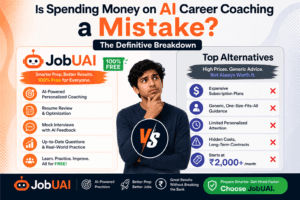
Reading questions is a passive activity; simulating the interview is where active learning happens. JobUAI is designed to bridge the gap between knowing the answer and delivering it confidently.
- AI-Powered Mock Interviews: JobUAI simulates a real technical round by asking you role-specific questions based on your target job description. It listens to your answers and provides instant feedback on your technical accuracy and communication clarity.
- Code Review & Optimization: Stuck on how to explain a complex hook? JobUAI can analyze your code snippets or verbal explanations and suggest more “senior-level” phrasing or optimizations.
- Resume “Beat the Bot” Scoring: Before you even get to the interview, your resume needs to pass the ATS. JobUAI scans your resume against thousands of successful front-end profiles to ensure you have the right mix of keywords (like “Micro-frontends,” “RSC,” “TypeScript”) to get shortlisted.
The front-end ecosystem in 2025 is exciting but demanding. The shift towards server-driven UI and AI-enhanced workflows means that “knowing React” is no longer enough. You must understand the implications of your code—how it affects the server, the browser, and the user’s data plan.
Do not leave your success to chance. Review these questions, understand the underlying principles, and use JobUAI to practice until your answers feel natural. The difference between a rejection and an offer often comes down to the confidence that only preparation can build.
Frequently Asked Questions (FAQs)
Answer: Generally, no. While legacy systems still use it, modern interviews focus almost exclusively on vanilla JavaScript (ES6+) and frameworks like React or Vue. If asked, it is usually to test your ability to migrate legacy code to modern standards.
Answer: It is practically mandatory for mid-to-senior roles in 2025. Most large-scale applications are built with TypeScript to ensure type safety and reduce runtime errors.
Answer: Practice building small, functional components from scratch, such as a debounced search bar, a carousel, or a nested comment system. Focus on writing clean, modular code within a time limit (usually 45-60 minutes).
Answer: You do not need to be a backend expert, but you must understand how to consume APIs, handle HTTP status codes, and manage authentication (JWT/OAuth).
Answer: JobUAI helps you frame your past experience and any gap projects effectively, focusing on the skills you acquired during your break. Its resume scoring tool highlights your relevant technical strengths, helping you bypass bias and get your profile in front of hiring managers.