
TL;DR
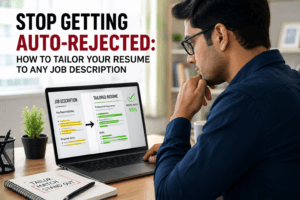
- ATS parsing and matching issues reject many qualified candidates before a human ever reads their resume, even when those candidates have the right skills.
- The three main culprits: wrong formatting that breaks text extraction, keyword mismatches against the job description, and vague summaries that give the system nothing to work with.
- Phrases like “hard-working team player” score near zero. Job-specific keywords like “AWS EC2,” “Docker,” or “CI/CD pipelines” score high.
- A resume built in Canva or saved with text boxes can arrive at an ATS as a blank document no matter how polished it looks on your screen.
- Fixing ATS issues doesn’t mean toning down your resume. It means making your actual experience legible to a machine.
- Tools like JobUAI’s ATS Scanner let you test your resume against a job description before you hit Apply so you can fix problems while there’s still time to fix them.
What Is an ATS and Why Does It Matter?
Quick Answer: An ATS (Applicant Tracking System) is software that companies use to collect, filter, and rank job applications automatically — before any recruiter reads them. It scans your resume for keywords, structure, and formatting. If your resume doesn’t pass its filters, no human may ever see it, regardless of how qualified you actually are.
When a company in Hyderabad, Bengaluru, or Gurugram posts a job opening and gets 400 applications in 48 hours, no recruiter can manually review every resume. That’s where an ATS steps in. It acts as a first-pass filter, scoring and ranking applications for relevance before passing the top results to a human reviewer.
Over 98% of Fortune 500 companies use ATS software. In India’s expanding tech hiring market from IT parks in Pune to product startups in Bangalore, mid-to-large companies almost universally run applications through some form of automated screening. Job portals like Naukri and LinkedIn also have built-in matching algorithms that work on very similar principles.
Here’s what most candidates don’t realize: an ATS doesn’t read your resume the way a person does. It parses raw text, pulling data into structured fields for name, education, work history, skills, and more. If your resume formatting blocks clean text extraction, the ATS can scramble, truncate, or lose critical information entirely, causing a qualified candidate to disappear from the shortlist.
Common ATS Myths vs. Reality
| Myth | Reality |
|---|---|
| “A well-written resume speaks for itself.” | A well-written resume still fails if its formatting breaks ATS parsing before a human sees it. |
| “ATS just scans for exact keywords.” | Modern ATS platforms use semantic matching and contextual relevance scoring not simple word-for-word lookup. |
| “Only big MNCs use ATS.” | Mid-sized IT firms, funded startups, and consulting companies across India use ATS or portal-based screening. |
| “If I’m qualified, I’ll get through.” | Qualification is necessary but not sufficient. ATS filters by keyword match and format readability, not actual competence. |
| “A PDF is always the safe choice.” | PDFs with multi-column layouts, text boxes, or graphic elements frequently parse poorly or not at all. |
| “Recruiters manually fix parsing issues.” | By the time a recruiter sees a parsed resume, the original formatting is already stripped. Bad data stays bad. |
Why Do Applicant Tracking Systems Reject Highly Qualified Resumes?
ATS platforms reject qualified resumes primarily for three reasons: parsing errors caused by unsupported formatting, keyword and semantic mismatches against the job description, and structural problems like missing standard section headers. The system simply cannot evaluate what it cannot reliably read.
The Technical Reality Behind ATS Screening
- Parser errors happen when the text extraction process fails or produces garbled output. For example, a two-column resume layout can confuse ATS software because it often reads across both columns simultaneously, turning clear content into fragmented text. A resume built with text boxes in Microsoft Word often extracts as completely empty, because ATS parsers simply don’t read the content inside design elements.
- Chronological glitches occur when dates are missing, formatted inconsistently, or more commonly than you’d expect accidentally set to a future year. Some ATS platforms treat a future end date (like “2025–2026” when you meant “2024–2026”) as an invalid entry and either skip the entire work record or return a validation error on your application.
- Semantic keyword gaps are subtler but equally damaging. If a job description asks for “Cypress” (a test automation framework) and your resume only mentions “Selenium,” an ATS without semantic intelligence marks it as a miss even if you’ve used both. Similarly, if the JD says “Python scripting” but your resume says “Python automation,” a basic keyword comparison fails to register a match.
A Real-World ATS Rejection Scenario
Priya, a cloud engineer in Bengaluru with four years of experience, applied for a Cloud Infrastructure Engineer role in Hyderabad. Although she regularly worked with AWS, Docker, Kubernetes, and CI/CD pipelines, her resume used vague phrases like “managed cloud infrastructure” and “worked on containerized environments” instead of naming specific tools.
The ATS compared her resume against keywords in the job description—AWS EC2, Docker, Kubernetes, Infrastructure-as-Code, and CI/CD—and found few direct matches. As a result, her compatibility score was only 23%, below the 60% threshold required for recruiter review.
After updating her resume to explicitly mention AWS EC2, S3, Lambda, Docker, Kubernetes, Jenkins, GitHub Actions, and Terraform, her ATS score increased to 81%, earning her an interview. Her skills did not change—only the way she described them.
How JobUAI Helps Identify ATS Problems Before You Apply
Most candidates only discover their resume has an ATS problem after weeks of silence. Not a single reply. Not a single screening call. The frustrating part: their qualifications were often exactly what the role required. The problem wasn’t the skills — it was that the system never registered them.
This is where diagnostic tools add real value. They don’t write your resume for you or manufacture qualifications you don’t have. What they do is show you precisely where your resume breaks down against a specific job description — while you still have time to fix it.
JobUAI’s ATS Scanner works as a pre-application diagnostic. You upload your resume and paste in the job description you’re targeting. The tool simulates how an ATS evaluates the match and surfaces specific, fixable problems — before you hit Apply.
Here’s how its core features address real ATS failure points:
| ATS Issue | How JobUAI’s ATS Scanner Detects & Solves It |
|---|---|
| Not knowing your overall ATS match strength before applying | Instant Scoring gives you a percentage compatibility score immediately, so you know exactly where you stand against that specific role. |
| Missing or misformatted resume sections that parsers can’t process | Section Analysis flags which standard sections Experience, Education, Skills, Summary are present, well-structured, or absent from your document. |
| Keyword gaps that drop your match score against the JD | Keyword Analysis shows you which keywords from the JD your resume already contains (matched) and which ones are absent (missing) so you know exactly what to add. |
| Not knowing which changes will actually improve your score | Actionable Suggestions prioritizes the specific edits most likely to improve your ATS compatibility for that particular role so you focus on what matters, not everything at once. |
| Over-editing parts of your resume that are already working | Strength Identification highlights the sections and phrases that are already performing well, so you don’t accidentally remove what’s already in your favor. |
A few honest notes about using any ATS scanner tool, JobUAI’s included:
- Treat it as a diagnostic tool rather than a guarantee. A high match score can improve your chances of passing ATS screening and getting your resume in front of a recruiter, but it cannot guarantee an interview. Hiring decisions still depend on factors such as experience, competition, recruiter preferences, and the overall quality of your application.
- The goal is accuracy, not gaming. Adding keywords for skills you don’t actually have will backfire in a technical interview. Optimize for transparency, not inflation.
- Use it per application. JD language varies significantly between companies and even between roles at the same company. A resume optimized for one JD may still need adjustments for the next.
The difference between a 30% and a 75% ATS match score is often the difference between ghosted and shortlisted. And in most cases, the underlying qualifications were already there they just weren’t legible to the system reading them first.
FAQs
Yes, but the answer depends on how you created the PDF. A text-based PDF, where you can select and copy the text normally, usually parses fine. The problem arises with PDFs generated from design tools like Canva, Figma, or Adobe Express, or with scanned print copies. These image-based files prevent ATS parsers from extracting text. If you created your resume in a graphics app, rebuild it in a word processor and export it from there, or save it as a DOCX file.
Keyword stuffing means repeating the same terms excessively throughout your resume to inflate match scores artificially. Modern ATS platforms flag unnatural repetition and may actually penalize it. Semantic matching, by contrast, is what more sophisticated ATS systems do they recognize that “built RESTful APIs” and “developed web service endpoints” describe similar concepts. The practical takeaway: don’t repeat the same keyword ten times. Instead, use accurate, varied terminology naturally throughout your experience descriptions, summary, and skills section.
In most enterprise ATS setups like Workday, Greenhouse, Lever, iCIMS recruiters work from a pre-filtered, ranked candidate list. Depending on company configuration, they may see a match score displayed next to your profile, or they may simply never receive applications that fell below a set compatibility threshold. If your score falls below the filtering threshold, the ATS may reject your resume before it reaches a human recruiter. Getting through the filter is a prerequisite for everything that follows.
ATS platforms generally calculate a match score based on keyword overlap between your resume and the JD, weighted by role relevance and keyword prominence (e.g., a skill listed in the title of the JD counts more than one buried in a bullet point). Other factors include: section completeness, years of experience, education level, and job title alignment. More advanced platforms use NLP (natural language processing) to assess semantic similarity rather than exact matches. The specific formula varies by platform, but keyword relevance and structural completeness are universally important variables.
For high-priority roles, yes. Keep the core structure of your resume work history, education, and major achievements consistent. Update your summary to align with the specific role, reorder your skills section to highlight the qualifications the job description values most, and revise select bullet points with JD-aligned terminology where it accurately reflects your experience.
Not necessarily. Keyword density matters, but so does context and placement. The ATS gives higher weight to a keyword that appears in your summary or skills section than to one buried deep inside a paragraph. More importantly, a resume with 40 keywords but no quantified achievements or logical structure can still score poorly overall. Quality, placement, and relevance matter more than raw count. The goal is a resume that reads naturally to a human while containing the machine-readable signals an ATS needs.
DOCX (Microsoft Word format) is the most universally compatible format across virtually all major ATS platforms. Use a clean, text-based PDF as your second safest option, but generate it directly from a word processor like Microsoft Word, not a design tool. Avoid these formats: the older .DOC Word format (which sometimes causes parsing issues), HTML unless the employer specifically requests it, and any exports from Canva, Adobe Express, or similar tools unless you confirm that you can select and copy the text cleanly.