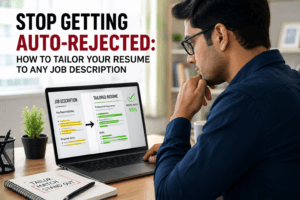

You spent three hours perfecting your resume. You hit “Apply”. Then — silence. Sound familiar? You’re not alone. Over 98% of Fortune 500 companies use an Applicant Tracking System (ATS) to filter candidates before a human ever sees a single line of your work history. If your resume isn’t built to pass these automated gatekeepers, it gets buried — no matter how qualified you are.
The good news? You can fix this. In this step-by-step guide, we’ll break down exactly how to improve your resume for ATS, walking you through every critical checkpoint — from keyword strategy to formatting rules — so your application lands in front of the right people. And at the end, we’ll show you how Jobuai’s ATS Aegis™ can automate the entire process for you in seconds.
What Is an ATS and Why Should You Care?
An Applicant Tracking System is software that recruiters use to collect, scan, and rank job applications. Think of it as a digital bouncer — except this one doesn’t care about charm or charisma. It only speaks the language of keywords, structure, and formatting.
Here’s what most candidates don’t realize: even a brilliantly written resume can score a 0% ATS match if it’s formatted incorrectly or misses the right terminology. The ATS doesn’t read your resume the way a person does. It parses your document for specific data points — job titles, skills, education, and keywords — and then ranks you against every other applicant.
So when you ask “how do I improve my resume for ATS?” — you’re really asking how to speak the system’s language fluently. Let’s get you there.
The Complete ATS Resume Optimization Checklist
Work through each section below methodically. Bookmark this page — you’ll want to return to it every time you apply for a new role.
Step 1: Use the Right File Format
Your first task begins before you write a single word. File format matters enormously to ATS software.
Use .DOCX or .PDF (text-based): Most modern ATS platforms handle both, but .DOCX remains the safest universal choice.
Also, never submit files as .JPEG, .PNG, or scanned images — ATS cannot extract text from them.
In addition, avoid Google Docs links unless explicitly requested by the employer.
Quick Check: Open your resume in a plain text editor (like Notepad). If the content appears readable and organized, your file is ATS-parseable. If it looks like garbled symbols, you have a problem.
Step 2: Nail Your Keyword Strategy
More importantly, keywords are the backbone of every ATS resume. The system compares your resume’s language against the job description and calculates a match score. Low score = filtered out.
Here’s how to do keyword research the right way:
- Copy the full job description into a document.
- Highlight recurring terms — especially skills, tools, certifications, and job title variations.
- Identify both hard skills (e.g., “Python”, “Salesforce” ,”PMP certification”) and soft skills (e.g., “cross-functional collaboration”, “stakeholder management”).
- Mirror the exact phrasing used in the job description. If they say “customer success” don’t substitute “client satisfaction” — even if they mean the same thing, the ATS may not equate them.
- Include keyword variations: Use both “Search Engine Optimization” and “SEO” to cover all parsing scenarios.
A common mistake is stuffing keywords awkwardly or listing them in a hidden white-font block. Modern ATS platforms are smarter than that — and so are the recruiters who review flagged resumes. Keep keyword usage natural and contextual.
Step 3: Optimize Your Resume Structure and Sections
Additionally, ATS software is trained to find specific sections. Deviate from the expected structure and the parser gets confused — often ignoring entire chunks of your experience.
Use these standard section headings:
- Work Experience (not “My Career Story” or “Professional Journey”)
- Education
- Skills
- Certifications
- Summary or Professional Summary
Avoid creative or branded section names. An ATS trained to find “Work Experience” will likely skip a section titled “Where I’ve Made an Impact.” Save your personality for the cover letter.
Also, always include a dedicated Skills section. Many ATS systems have a specific extraction module for skills data. Burying your skills only within bullet points under job descriptions means the system may partially miss them.
Step 4: Clean Up Your Formatting
At the same time, formatting is one of the top reasons qualified candidates get rejected by ATS before a human ever gets involved. Here’s what to avoid — and what to do instead:
| ATS Formatting Killers | ATS-Friendly Alternatives |
|---|---|
| Tables and multi-column layouts | Single-column format throughout |
| Headers and footers for key info | Place name and contact info in the body |
| Text boxes and graphics | Plain paragraph text only |
| Fancy fonts (script, decorative) | Arial, Calibri, Garamond, or Georgia |
| Icons and logos for contact details | Plain text with labels (e.g., “LinkedIn:”) |
| Charts or infographic elements | Text-based bullet points for achievements |
Keep margins between 0.5 and 1, use 10–12pt font size for body text, and maintain clear visual hierarchy with H1 for your name, H2 for section headers, and standard formatting for content.
Step 5: Tailor Your Job Titles and Dates
Another critical detail many candidates overlook: your listed job titles need to align with the role you’re applying for — at least in spirit. If the position says “Digital Marketing Manager” and your actual title was “Growth Lead”, consider adding a parenthetical clarification: Growth Lead (Digital Marketing Manager equivalent).
For dates, always use a consistent format throughout:
- Recommended: Month Year – Month Year (e.g., January 2022 – March 2024)
- Also acceptable: MM/YYYY format
- Avoid: Just years alone (e.g., 2022–2024), as ATS may calculate tenure incorrectly
Step 6: Quantify Your Achievements
Furthermore, numbers don’t just impress human readers — they help ATS systems identify the weight and relevance of your experience. When parsing experience bullets, some advanced ATS platforms use NLP models that assign higher relevance scores to entries with measurable outcomes.
Transform vague bullets into impact statements:
- “Managed a team and improved sales performance”
- “Led a 7-person sales team, increasing quarterly revenue by 34% YoY through targeted outbound campaigns”
Use the formula: Action Verb + Task + Measurable Outcome. Every bullet on your resume should ideally follow this structure.
Step 7: Optimize Your Resume Summary
Equally important, your Professional Summary is prime keyword real estate. It appears at the top of your resume and is one of the first sections an ATS parses. Make it count.
A strong ATS-optimized summary should:
- Start with 3–5 sentences for clarity.
- Next, naturally include your target job title and 3–5 primary keywords.
- Then, highlight your years of experience and most relevant expertise.
- Finally, avoid first-person pronouns (no “I am a…”).
Example: “Results-driven Senior Software Engineer with 8+ years of experience in full-stack development, cloud architecture, and agile methodologies. Proven track record of delivering scalable SaaS solutions using Python, React, and AWS. Passionate about building high-performance systems that solve real-world problems.”
Step 8: Verify Contact Information Formatting
Your contact info seems simple — but it’s a surprisingly common failure point. Many applicants use design-heavy headers that the ATS completely skips.
Ensure your contact section includes:
- Full legal name (as it appears on professional documents)
- City and State/Country (full street address is optional and increasingly unnecessary)
- Professional email address (firstnamelastname@domain.com format is ideal)
- Phone number in standard format
- LinkedIn URL (customized: linkedin.com/in/yourname)
- Portfolio or GitHub URL if relevant to your field
All of this should be in the main body of the document — not in a header, footer, or text box.
ATS Resume Mistakes That Are Costing You Interviews
Before we move on, let’s address the errors that silently kill applications — things most candidates have no idea they’re doing wrong.
1.Using the Wrong Resume Format
ATS systems are optimized for chronological resumes. Functional formats confuse parsers and often result in poor data extraction.
2.Submitting a Generic Resume
A generic resume is an ATS resume’s worst enemy. Every application should be customized to the specific job description.
3.Spelling Errors in Keywords
If you misspell a skill or certification (e.g., “Progect Management” instead of “Project Management”), the ATS will score it as absent.
4.Incorrect Contact Formatting
Ensure your name and contact information appear as plain text in the document body.
5.Ignoring Employment Gaps
Some ATS systems flag long gaps as a potential filter criterion. Address gaps proactively where possible.
Meet ATS Aegis™: Your AI-Powered ATS Defense System by Jobuai

Going through this checklist manually every time you apply is time-consuming, error-prone, and frankly exhausting — especially when you’re actively job searching and submitting dozens of applications. That’s exactly why Jobuai built ATS Aegis™.
ATS Aegis™ is Jobuai’s proprietary AI-powered resume defense engine, designed to automatically analyze, score, and optimize your resume for any job description in real time. Think of it as having a senior recruiter and an ATS engineer review your resume simultaneously — in seconds.
What ATS Aegis™ Does For You:
- Deep ATS Compatibility Scan: ATS Aegis™ parses your resume the same way leading ATS platforms do, identifying formatting issues, unparseable elements, and structural problems before you submit.
- Keyword Match Scoring: Paste any job description and ATS Aegis™ instantly calculates your keyword match percentage, showing you exactly which terms you’re missing and where to add them naturally.
Want to understand job descriptions better? Read our guide on how to analyze job descriptions for skills. - AI-Powered Rewrite Suggestions: Don’t just know what’s wrong — fix it instantly. ATS Aegis™ provides contextually accurate, role-specific rewrite suggestions for every bullet point and section.
- Section-by-Section Optimization Score: Get a granular breakdown of how each section of your resume (Summary, Experience, Skills, Education) scores against ATS parsing benchmarks.
- One-Click Apply Optimization: Tailor your resume to a specific job posting in a single click, with ATS Aegis™ handling keyword integration, section optimization, and formatting cleanup automatically.
- Multi-Format Output: Download your optimized resume in ATS-safe .DOCX or .PDF format, ready to submit anywhere.
Whether you’re a recent graduate crafting your first professional resume or a senior executive targeting C-suite opportunities, ATS Aegis™ levels the playing field — giving you the same intelligence that top career coaches charge thousands of dollars to provide.
Try ATS Aegis™ for free — upload your resume today and get your ATS score in under 60 seconds.
Your Quick-Reference ATS Resume Checklist
Print this out or bookmark it. Before you submit any application, run through every item:
- Resume saved as .DOCX or text-based .PDF
- No tables, text boxes, headers/footers, or graphics
- Standard section headings used (Work Experience, Education, Skills, etc.)
- Keywords from the job description incorporated naturally
- Both acronyms and full terms included (e.g., “SEO” and “Search Engine Optimization”)
- Job titles aligned with target role terminology
- Dates formatted consistently throughout (Month Year format)
- Contact info in document body — not header or footer
- Dedicated Skills section present
- Achievement bullets follow Action + Task + Measurable Outcome formula
- Professional Summary includes top 3–5 keywords for the role
- No spelling errors, especially in skill names and certifications
- Verified with ATS Aegis™ on Jobuai before submitting
Final Thoughts: Stop Letting Algorithms Decide Your Career
Ultimately, the job market is competitive enough without letting a software system eliminate you unfairly. The strategies in this guide — when applied consistently — will dramatically increase your resume’s visibility, match scores, and interview rate.
But here’s the honest truth: manually optimizing your resume for every job application is a full-time job in itself. That’s why tools like Jobuai’s ATS Aegis™ exist — to automate the tedious, technical work so you can focus on what actually matters: preparing for interviews, building connections, and landing the role you deserve.
Your next opportunity shouldn’t be stopped by a formatting error or a missing keyword. Take control of your application today.
Get your free ATS score now with Jobuai’s ATS Aegis™ — and never wonder if your resume passed the filter again.
FAQ’S
A. The easiest way is to run it through an ATS simulation tool like Jobuai’s ATS Aegis™. You can also do a quick manual test: copy all text from your resume and paste it into a plain text editor. If the information reads clearly and in the right order, your resume has good parse-ability. If it looks scrambled or loses important information, you have formatting issues to fix.
A. Yes — but choose carefully. Many visually impressive resume templates available online are actually terrible for ATS because they rely on tables, text boxes, or multi-column layouts. Look for clean, single-column templates explicitly labeled as “ATS-optimized”. Jobuai’s template library within ATS Aegis™ offers professionally designed, fully ATS-compliant options.
A. There’s no magic number, but aim to mirror the frequency of key terms from the job description without over-stuffing. A well-optimized resume will naturally include high-priority keywords 2–4 times across different sections (Summary, Experience, Skills). Quality of integration always beats quantity.
A. No — length itself doesn’t affect your ATS score. What matters is content relevance and formatting. However, keep page two as keyword-rich and relevant as page one. Padding with filler content to reach two pages will actually dilute your keyword density and hurt your overall score.
A. Resume writing focuses on compelling, human-readable content — storytelling, impact, and persuasion. ATS optimization ensures that great content is structured, formatted, and keyworded so the automated system scores it highly before a human ever reads it. You need both. ATS Aegis™ handles the optimization layer automatically, so you can focus on writing the compelling version of your story.